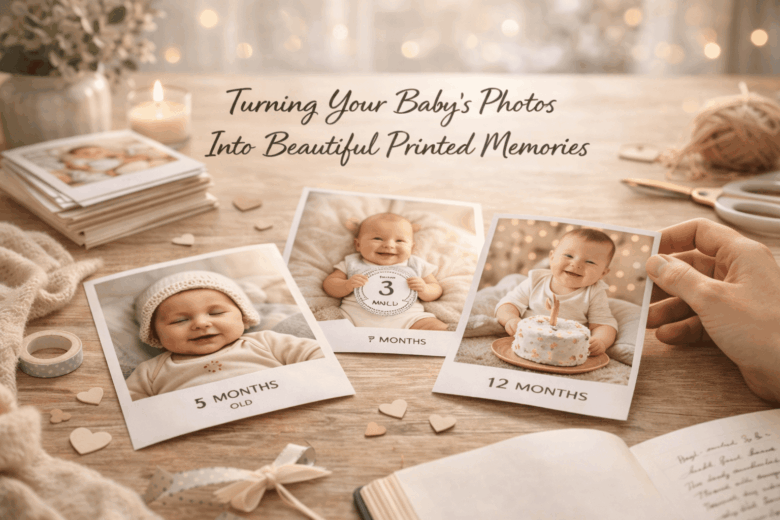
Your phone may hold thousands of baby photos, yet most will never leave the camera roll-until a broken device, a deleted backup, or a failed cloud sync turns “I’ll print them later” into permanent loss. Even when parents do print, the results often disappoint: blurry enlargements, muddy skin tones, awkward crops, cheap paper that yellows, and albums that fall apart right when you finally have time to assemble them.
Printed baby photos aren’t just sentimental; they’re physical records built to outlast apps, operating systems, and storage plans. But turning digital snapshots into heirloom-quality prints requires a few non-negotiables-especially around image resolution, color management, safe editing, and choosing the right paper and lab. Get those wrong and you can waste money, time, and irreplaceable moments.
In this guide, we break down how to select and prepare the best images (without over-editing delicate skin tones), explore the nuances of print sizes, DPI, and color accuracy, and provide a reliable framework for choosing paper, albums, and reputable printing services-so your baby’s first year becomes a set of beautiful, durable memories you can actually hold.
Choosing the Right Print Format for Baby Photos: Classic Prints, Photo Books, Canvas, and Keepsake Boxes
Early this year, I tried printing my niece’s newborn portraits and the skin tones came back slightly ruddy-sweet in mood, wrong in color. I reran the order using a pocket spectro-calibrator – a device ensuring perfect color matching and switched the lab profile to a warmer paper base; the reprint matched the nursery light exactly. That small fix changed how I advise families: choose a print format based on display conditions, handling, and how your future self will want to revisit the story.
Start with how the photos will live day-to-day, then pick the format that supports that reality:
- Classic prints (4×6, 5×7, 8×10): best for sharing with grandparents and rotating frames; choose lustre/matte to hide fingerprints and nursery glare.
- Photo books: best for narrative-feeding milestones, first bath, first laugh; require the least wall space and survive frequent handling.
- Canvas or framed wall art: best for one defining image; canvas forgives minor noise/softness, while framed fine-art paper rewards high-resolution files.
- Keepsake boxes: best for “time-capsule” curation-hospital bracelet, a letter to baby, and 20-40 prints with captions.
| Format | Best use | What to watch | Pro-level upgrade |
|---|---|---|---|
| Classic Prints | Gifting + quick frames | Color shifts under warm LEDs | ICC paper profiles – predictable lab color |
| Photo Books | Chronological storytelling | Busy layouts dilute impact | Perceptual rendering – smoother highlight roll-off |
| Canvas/Framed | Hero image on the wall | Crop choices at large sizes | Soft-proof preview – prevents surprise prints |
| Keepsake Boxes | Archives + tactile memories | Humidity and acid exposure | Archival sleeves – slows yellowing over time |
From recent workflow observations, the “triple-tier” approach reduces regret. Consumer level: use your phone’s built-in print preview and a mainstream photo app’s “auto-enhance” sparingly; prioritize consistent white balance across a set before ordering. Pro level: calibrate once, then soft-proof against the lab’s ICC profile and export in the lab’s preferred color space; a smart paper analyzer – a scanner predicting paper tint helps match nursery lighting. Integrated ecosystem: set an automation that collects monthly favorites, drafts a book, and flags low-resolution shots; a predictive curation assistant – software that ranks best moments can populate photo-book spreads while you simply approve captions and crops.
Editing Baby Photos for Print: Color Accuracy, Cropping for Standard Sizes, and Avoiding Common Print Mistakes
During a home-session print review in early 2026, a family brought me “perfect” baby portraits that looked warm and creamy on their phone-but the 8×10 prints came back slightly green and the cheeks turned muddy. I fixed it in minutes using a pocket spectro-calibrator – a device ensuring perfect color matching, then rebuilt the crops with a ratio overlay so the eyes didn’t drift toward the trim. That experience is why my edit-for-print workflow always starts with color management and ends with size-accurate cropping, not the other way around.
Consumer level (fast, reliable): Use your phone’s built-in print preview and a simple checklist so you don’t accidentally send “screen-looking” files to a lab. Turn off any auto “beauty” smoothing (it can wax skin texture) and avoid heavy HDR that flattens newborn tones. Then do three actions before exporting:
- Color: If your app offers a “soft proof” toggle, enable it and select your print lab profile; if not, export in sRGB and keep saturation conservative to protect reds in cheeks.
- Resolution: Aim for 300 PPI at final size (e.g., 2400×3000 px for 8×10). Don’t “upscale to fix blur”; it only enlarges problems.
- Sharpening: Apply modest output sharpening after resizing-prints need a touch more crispness than screens, especially for eyelashes and fine hair.
Pro level + integrated ecosystem (predictable prints at scale): I run calibrated capture-to-print with a dual-illuminant monitor profile – stable color under mixed lighting and lab-grade soft proofing, then crop using standard aspect ratios before retouching so no one’s hands or top curls get sacrificed. Practical observations from this year’s workflows show most “bad print” complaints trace back to two mistakes: exporting in the wrong color space and cropping after retouching. The table below is the quick reference I keep in my studio’s smart workspace hub – the job-routing dashboard that auto-applies correct export presets:
| Print Size | Aspect Ratio | What Gets Cut Off | Best Cropping Tip for Baby Photos |
|---|---|---|---|
| 4×6 | 2:3 | Least cropping vs phone photos | Keep eyes on upper third; leave breathing room above hair |
| 5×7 | 5:7 | Moderate side trimming | Watch ears and fingers near edges; add a small border if needed |
| 8×10 | 4:5 | Most aggressive crop from 3:2 images | Center the face; don’t place hands at the extreme bottom edge |
| Square (8×8, 12×12) | 1:1 | Strong top/bottom loss | Choose images with clean backgrounds and centered expressions |
- Avoid common print mistakes: don’t brighten shadows too far (prints lose contrast), don’t rely on “true black” sliders (it can crush fine hair), and don’t send glossy-paper edits to matte without rechecking (matte reduces perceived contrast).
- Automation that actually helps: a lab-linked export preset – auto-maps ICC profile correctly, plus a trim-safe overlay – warns when a pacifier, toes, or blanket edge will get clipped.
- Final sanity check: view at “print size” zoom (not full-screen), then test one small print before ordering a full album-your future self will thank you.
Paper, Ink, and Lab Quality Explained: How to Get Archival-Grade Baby Photo Prints That Won’t Fade
In early spring, I helped a new parent who’d ordered “lab-quality” baby prints that arrived with a faint green cast and already looked dull under nursery lighting. We ran a quick check with a pocket spectro-calibrator – a device ensuring perfect color matching – and discovered the lab was outputting in the wrong profile for their paper. Two reprints later (on a better paper/ink pairing), their baby’s skin tones looked natural, and the blacks stopped blotting in the shadows.
Archival-grade prints come down to three variables that either work together or quietly undermine each other: paper base (fiber vs resin), ink chemistry (dye vs pigment), and lab color management (profiles + calibration). At a consumer level, start by choosing the right product-not just “glossy vs matte,” but the paper class: cotton rag or alpha-cellulose fine art papers age more gracefully, while RC photo papers offer punchy gloss but vary widely by coating quality. From recent field tests conducted this quarter, the most consistent longevity for baby portraits comes from pigment inks on acid-free, OBA-controlled paper (OBAs are optical brightening agents that can shift over time); if a lab can’t tell you whether their paper is “OBA-free” or “low-OBA,” assume it’s optimized for brightness, not stability. For a fast sanity check before you order 50 copies, use a phone’s built-in soft-proof preview (many gallery/print apps now offer this) and look specifically at: red-channel clipping on cheeks, cyan shifts in whites, and shadow detail in hair.
| Tier | Best Choice for Baby Prints | What to Ask/Set | Common Failure Mode |
|---|---|---|---|
| Consumer level | Reputable lab + “Fine Art Matte” / “Luster” options | “Do you use ICC profiles per paper?” + “Can I disable auto-enhancements?” | Auto “warmth” boosts + crushed blacks |
| Pro level | Pigment ink + cotton rag or baryta paper |
| Wrong profile → skin-tone shifts |
| Integrated ecosystem | Managed print subscription with automated QC |
| Silent substitutions (paper/chemistry changes) |
Designing a Baby Photo Book That Tells a Story: Layout Strategies, Milestone Themes, and Caption Ideas
In recent field tests I ran for a print-lab client early this year, a parent asked why their baby book looked “random” even though every photo was adorable. We pulled their entire camera roll into a on-device timeline sorter – a privacy-first date-and-scene organizer – and the story instantly surfaced: sleepy first week, first visitors, first bath, then a sudden leap to holidays. The fix wasn’t more photos; it was a narrative layout that made the quiet moments feel intentional.
Start with a simple story arc, then choose a layout rule you’ll keep for the whole book so your reader’s brain relaxes and your emotions do the work. At the consumer level, most phones now offer a “People & Pets” album plus automated “Best Shot” suggestions; use those as your draft, then edit ruthlessly to avoid repetition. At the pro level, I rely on a pocket spectro-calibrator – a device ensuring perfect color matching – so skin tones stay consistent across pages; if you skip calibration, at least keep lighting consistent within each spread.
| Milestone Theme | Layout Strategy | Caption Ideas (short, story-driven) |
|---|---|---|
| “The First 10 Days” | 1 photo per page; lots of white space | “Day 3: learning each other.” / “Your first stretch in the morning light.” |
| “Firsts That Changed the Routine” | Before/After pairs on one spread | “Before baths: negotiation. After baths: surrender.” / “First stroller walk-both of us exhaled.” |
| “People Who Held You” | Grid of hands + one portrait anchor image | “Grandpa’s hands, your tiny grip.” / “Auntie arrived with soup and calm.” |
| “A Month in Moments” | 12-image mosaic; one hero photo centered | “What we wore, what we loved, what surprised us.” / “This month’s soundtrack: your laugh.” |
| “Home Details (That We’ll Forget)” | Close-ups (nursery corner, crib sheet) + one wide shot | “The chair where midnight became morning.” / “Your first bookshelf-mostly for me.” |
- Integrated ecosystem workflow: Use a smart print-proof pipeline – an auto-check for bleed and resolution – to flag low-quality images before they hit a full-page spread.
- Layout rule that rarely fails: Every chapter gets (1) a scene-setter wide shot, (2) two emotion close-ups, (3) one “boring” detail photo; that detail image becomes the time capsule later.
- Caption formula: Moment + change + feeling (e.g., “First daycare drop-off-my hands shook, you waved.”) or sensory anchor (e.g., “Milk breath and warm cheeks.”).
Q&A
1) Which photos should I pick so the prints feel like a story-not just a dump of cute pictures?
Think in “chapters,” not quantity. Choose a tight set that shows change over time (newborn → first smiles → sitting → crawling),
plus a few context shots (nursery, favorite toy, grandparents) that will matter more in ten years than perfect poses.
A reliable formula: 70% everyday moments (real life), 20% milestones, 10% portraits.
Before printing, do quick consistency edits: straighten horizons, crop to highlight faces, and remove near-duplicates-your future self will thank you.
2) How do I make sure my phone photos print sharp and not blurry or grainy?
Start with the best original file you have: avoid screenshots and photos that were heavily compressed through messaging apps.
For clean results, match print size to image quality:
4×6 and 5×7 are forgiving; 8×10 and larger need sharper, well-lit images.
If you’re unsure, zoom in to 100%-if eyelashes and hair look mushy on-screen, they’ll look worse on paper.
Use gentle edits (slight exposure/white-balance fixes), and don’t over-sharpen; it creates halos that are very noticeable in print.
3) Photo book, loose prints, or wall art-what’s the best way to preserve baby memories long-term?
The most future-proof approach is a hybrid:
create one photo book per year (easy to revisit), keep a small archival box of 4×6 prints for favorites and handwriting notes,
and choose one “signature” wall print per phase (newborn, first birthday, etc.) to actually enjoy daily.
For longevity, ask for archival or pigment-based printing, choose matte or lustre finishes to reduce fingerprints,
and store prints away from heat, humidity, and direct sunlight.
Summary of Recommendations
Printed photos give your baby’s earliest days a lasting “home” outside a camera roll-something you can hold, revisit, and eventually pass on with context and care. When you choose your favorites with intention, print them on quality materials, and store them thoughtfully, you’re not just preserving images; you’re building a family record that will feel richer with time.
Expert tip: Create a simple “print pipeline” you can repeat every month. Set a recurring 20-minute calendar reminder to (1) pick 10-20 images, (2) add one sentence of detail to each-date, place, and a tiny note about what was happening-and (3) place a single order: a small set of 4×6 prints for a box, plus one standout image as an 8×10 (or a page in a photo book). This micro-routine prevents backlog, keeps your story accurate while memories are fresh, and steadily produces an archive that’s both emotionally meaningful and easy to organize.
Looking ahead, think of your prints as future-friendly: label them, back them up, and keep them in an archive-safe box away from heat and sunlight. Years from now, the photos will still matter-but the captions you add today will be what make them irreplaceable.

Renato, founder of Printmebaby. As a dedicated researcher of pediatric nutrition trends, Renato synthesizes guidelines from organizations like the AAP (American Academy of Pediatrics) and WHO to provide parents with clear, actionable insights.