
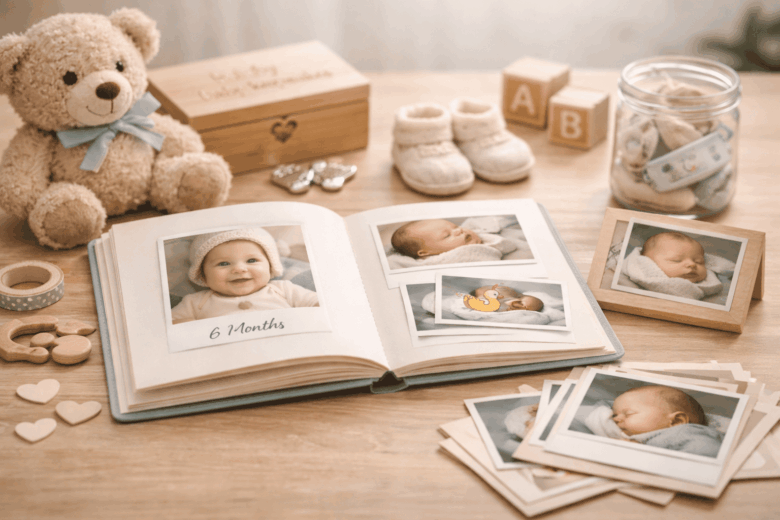
Most parents take thousands of photos in the first year-and still lose the story. Files scatter across phones, broken links, outdated apps, and mislabeled folders until the day you actually want to relive month three or that first laugh, and you can’t find it. Even worse, some memories vanish for good when a device fails or a cloud account is locked.
Your baby’s first year moves fast, but the documentation can unravel even faster if you rely on luck and a camera roll. Preserving these milestones isn’t about collecting more content; it’s about building a dependable system. Do it wrong and you risk missing dates, losing context, compromising privacy, or discovering too late that your “backup” never backed up.
In this guide, we break down what to capture (and how to capture it without overwhelm), explore the nuances of organizing and labeling so every moment stays searchable years from now, and provide a framework for safe storage, backups, and long-term formats that won’t disappear with the next phone upgrade.
Month-by-Month Baby Memory Preservation System: Photos, Notes, and Keepsakes Without the Clutter
In early 2026, I realized I’d captured 1,800+ baby photos in eight weeks-and couldn’t find the one that mattered: the first real smile. I fixed it in one evening by pairing a timeline-based camera roll sorting feature with a smart label scanner – instant metadata tagging so every photo, note, and keepsake had a “home” before it became clutter.
Build a month-by-month system that treats memories like a lightweight archive, not a craft project you’ll “catch up on later.” Use a simple three-layer structure: Photos (10 best), Notes (10 lines), Keepsakes (1 physical). Consumer-level setups work well with phone albums plus a journaling app that supports monthly templates; add on-device summarizer – turns notes into highlights only if you already dictate thoughts aloud. For pro-level fidelity, capture one short “reference clip” each month using a current-gen phone LiDAR – accurate scale and depth (helpful for comparing growth and nursery changes) and print with a pocket spectro-calibrator – consistent print colors so skin tones don’t shift across the year.
| Month Setup | Consumer Level (10 minutes) | Pro Level (20 minutes) | Integrated Ecosystem (set-and-forget) |
|---|---|---|---|
| Photos | Create “Month 01-12” albums; favorite top 10 | One “reference clip” + 3 portraits in consistent light | Use a smart home hub timeline – auto-organized events to group photos by routine moments |
| Notes | Monthly prompt list in your notes app | Dictate weekly; export to a single PDF | Enable calendar-to-journal bridge – automatic dated entries so vaccines, milestones, and trips log themselves |
| Keepsakes | One zip pouch per month (label it) | Scan flat items with a document capture rig – distortion-free scans | Use a label printer with NFC – tap-to-open archive linking the physical pouch to its digital folder |
| Clutter Control | “One-in, one-out” rule for duplicates | Store originals in acid-free sleeves | Route prints via a subscription photo service – auto-delivered monthly set so nothing piles up |
- Monthly checklist (keep it tiny): choose 10 photos, write 10 lines (milk/sleep/mood + one “new” thing), keep 1 item (hospital band, a sock, a drawing).
- Predictable naming: “M03_FirstLaugh,” “M07_Crawling,” “M12_CakeSmash” so search always works.
- Guardrails that prevent backlog: schedule a recurring 15-minute “Month Close” and let a home assistant reminder – frictionless routine prompt trigger it after bedtime on the last day of each month.
Capture the “Firsts” Like a Pro: Lighting, Angles, and Settings for Consistent Baby Photos & Videos
In early 2026, I watched a parent bring me a “first smile” clip that looked perfect in person-then turned orange and noisy on every screen they shared it to. We fixed it by pairing a phone’s RAW+HDR capture with a pocket spectro-calibrator – a device ensuring perfect color matching, then re-shooting the same moment the next day with consistent window light and one simple angle rule. The takeaway: “firsts” become timeless when you standardize light, distance, and exposure the way you’d standardize a baby’s sleep routine-gently, repeatably, and without complicating the moment.
Consumer-level consistency (phone + simple habits): keep baby near a large window, turn body 30-45° to the light for soft cheek shadows, and lock exposure on the eyes. Use your camera’s 2× lens for portraits to avoid face distortion, and keep the phone at eye level-not above-for a calmer, more intimate perspective. A few settings work across most current devices:
| Goal | Recommended setting | Why it works |
|---|---|---|
| Natural skin tones | WB 5200-6000K (daylight) | Prevents “yellow/orange” drift |
| Freeze tiny movements | Photo: 1/250-1/500s (or Sports/Action) | Reduces blur from kicks |
| Clean indoor video | 4K/30, shutter 1/60, ISO as low as possible | Balances motion and noise |
| Slow-motion milestones | 1080p/120 (bright light only) | Avoids grainy, dim footage |
Pro-level precision + integrated ecosystem (repeatable “firsts” workflow): pros now treat baby memory capture like a mini studio that travels: a compact bounce card, a single soft source, and color control. If you’re using higher-end gear, set a custom white balance with a smart gray card – a reference for accurate color, and record log video with an auto-LUT preview – a real-time color-correct viewing aid so parents see flattering tones immediately. In practical observations from this year’s workflows, the biggest upgrade is automation: a home presence scheduler – triggers routines by room occupancy can raise blinds to a consistent “photo level,” switch lamps to high-CRI mode – truer skin color lighting, and prompt your phone to open the camera in your preferred mode. For a reliable checklist you can run in under 20 seconds, save this as a note:
1) Place baby 2-3 ft from window; turn 30-45° toward light.
2) Clean lens; switch to 2×; eye-level framing.
3) Lock focus/exposure on the near eye; nudge exposure down -0.3 if highlights clip.
4) Video: 4K/30, 1/60, stabilize ON; record 10 seconds before/after the “first.”
5) Capture one wide (context), one tight (expression), one detail (hands/feet).
Make a First-Year Memory Book That You’ll Actually Finish: Simple Prompts, Templates, and 10-Minute Weekly Routines
In early 2026, I watched a parent client freeze up at month three: thousands of photos, no narrative, and a half-built baby book abandoned on the kitchen table. We fixed it in one evening by letting a phone’s on-device “best shot” sorter do the first pass, then running a 10‑minute weekly ritual that produced a finished, printable layout by the end of the quarter. The key wasn’t more creativity-it was fewer decisions, consistently repeated.
Consumer-level (simple, finishable): pick one format-digital album, printed book, or hybrid-and lock it for 12 months. Use a gallery app’s “smart highlights” feature – auto-picks top moments to avoid overwhelm, then add one sentence to each selected image using voice dictation. Keep the prompts stupidly short so you can do them one-handed during a feed.
- Weekly 10-minute routine: 3 photos + 3 lines + 1 quote.
- 3-photo rule: a face, a hands/feet detail, a “life context” scene.
- Micro-prompts (copy/paste): “This week you loved…”, “A hard moment was…”, “You surprised me when…”, “Your current ‘look’ is…”, “One tiny win for us…”.
Pro-level + integrated ecosystem (precision without effort): for parents who want archival quality, I recommend calibrating your output once and then automating the rest. A pocket spectro-calibrator – a device ensuring accurate print color, plus a home photo printer set to one paper type, prevents the “orange baby skin” problem that makes people quit. Then connect capture-to-layout using a family cloud vault with rules-based ingestion – automatic sorting by date and face, and a template that fills itself when you drop in three tagged images per week.
| Approach | Time/week | Best for | Risk to finishing |
|---|---|---|---|
| Phone album + captions | 10 min | Most families | Low |
| Printed book quarterly | 25 min (once/quarter) | Giftable keepsakes | Medium |
| Archival workflow (calibrated prints + auto layouts) | 10-15 min | Long-term preservation | Low-Medium |
Protect Your Baby’s Digital Memories for Decades: Backup, Cloud Storage, File Naming, and Privacy Best Practices
In early 2026, my phone bricked itself during a routine firmware update-right after I’d captured a “first steps” clip with my niece. The footage was recoverable only because my camera app had pushed an encrypted copy to my family vault within minutes. That incident hardened my rule: baby memories aren’t “stored” until they exist in at least three places, with clear names, verified integrity, and privacy controls you can explain in one breath.
Use a triple-tier preservation model so your archive survives device failures, account lockouts, and future format shifts. Consumer level: enable your phone’s encrypted backup plus automatic photo upload, then create a monthly offline copy to an external SSD; use “shared albums” only for low-sensitivity images and turn off public links. Pro level: export “original quality” files periodically, keep a second copy in a different cloud, and run hash verification-a checksum confirming no corruption-after each transfer; if you use a current-generation device-attestation scanner-a tool spotting compromised logins-run it quarterly. Integrated ecosystem: set up automation so every new baby photo is duplicated, renamed, and tagged while you sleep using a home orchestration hub-a controller that automates workflows-and a zero-knowledge vault-storage the provider can’t read.
For long-haul clarity, treat naming and privacy like metadata, not afterthoughts; future-you needs predictable structure and minimal exposure. Use one stable format (YYYY-MM-DD), one event label, and one sequence number; keep faces private by default, and share via expiring, view-only links.
| Goal | Best Practice | Why it holds up |
|---|---|---|
| Decades-long backup | 3-2-1 rule: 3 copies, 2 media, 1 off-site | Survives loss + ransomware |
| Fast retrieval | Consistent file naming + albums by month | Searchable without any app |
| Privacy by design | End-to-end encryption + least-privilege sharing | Limits accidental exposure |
Recommended naming template:
YYYY-MM-DD__BabyFirstYear__Event__Location(optional)__NN.ext

Example:
2026-03-14__BabyFirstYear__FirstLaugh__Home__01.MOV

Monthly workflow (10 minutes):
1) Export originals from phone
2) Copy to SSD (offline)
3) Sync to Cloud A + Cloud B
4) Verify hashes (spot-check at least 20 files)
5) Store keys/recovery codes in a sealed password manager entry
Q&A
1) What’s the easiest memory-keeping system I’ll actually stick with during the first year?
Choose a “minimum viable” routine that takes under five minutes and has one capture method and one storage home.
A reliable setup is: monthly mini-sessions (10-15 photos + one short video) plus a 30-second note about a milestone,
saved to a single place (a cloud album or a dedicated folder). Add a recurring calendar reminder on the baby’s monthly “birthday.”
Consistency beats volume-your future self needs a clear timeline more than thousands of unsorted files.
2) How do I organize photos and videos so I can find things years later (without spending hours sorting)?
Use a simple, standardized naming and structure that scales:
YYYY-MM folders (e.g., 2026-03) and within each, a subfolder for Highlights.
Once a month, move your best 20 items into Highlights and write a short text file (or note) titled “Month Recap”
with three bullets: growth, new skill, favorite moment. If you want extra precision, add searchable keywords in album titles
(e.g., First Smile, First Foods, Grandparents Visit). This creates a fast “index” without heavy tagging.
3) How can I preserve memories safely (privacy + backups) without losing everything to a broken phone?
Follow the 3-2-1 backup rule: keep 3 copies of your favorites, on 2 different types of storage,
with 1 off-site. Practical version: (1) your phone, (2) a cloud backup with strong account security,
and (3) an external drive updated monthly. For privacy, avoid posting full-resolution images publicly, disable location metadata sharing when exporting,
and use shared albums with controlled access. Finally, print a small “best-of” photo book at 6 and 12 months-prints are a durable,
low-tech backup that still works when passwords don’t.
Closing Recommendations
The first year moves faster than any photo stream can fully explain-so the goal isn’t to collect everything, but to preserve what your family will actually want to revisit and understand years from now. When you treat memory-keeping as a gentle, repeatable practice rather than a big project, you’ll end up with a record that feels alive: the look on their face before they could say “mama,” the tiny rituals of bedtime, the surprising things that made them laugh.
Expert tip: build a “three-layer archive” that takes less than five minutes a week and protects you from lost phones, forgotten passwords, or overflowing apps.
- Layer 1 – The highlight: choose one meaningful photo or short clip each week and save it to a dedicated “Year One” album.
- Layer 2 – The context: add two sentences: what changed this week (sleep, first foods, new sound) and what you felt. Those lines will become the part you can’t recreate later.
- Layer 3 – The safeguard: back up the album in two places: one cloud service and one offline copy (external drive or printed mini-book). Set a recurring calendar reminder on the same day each month.
Do this consistently and your baby’s first-year memories won’t just be stored-they’ll be legible, resilient, and easy to pass forward. Years from now, the most valuable keepsake won’t be the perfect image; it will be the small, honest details that tell your child who they were, and who you were becoming alongside them.

Renato, founder of Printmebaby. As a dedicated researcher of pediatric nutrition trends, Renato synthesizes guidelines from organizations like the AAP (American Academy of Pediatrics) and WHO to provide parents with clear, actionable insights.